
This page says what the importer moves over from WooCommerce Bookings and what you set up by hand. How to run a dry run, an import and a rollback is in Import from another plugin.
The importer reads WooCommerce Bookings’ products, bookings and store-wide availability straight from the database, so WooCommerce Bookings may be active or deactivated. It was tested with WooCommerce Bookings 3.11.
What moves over #
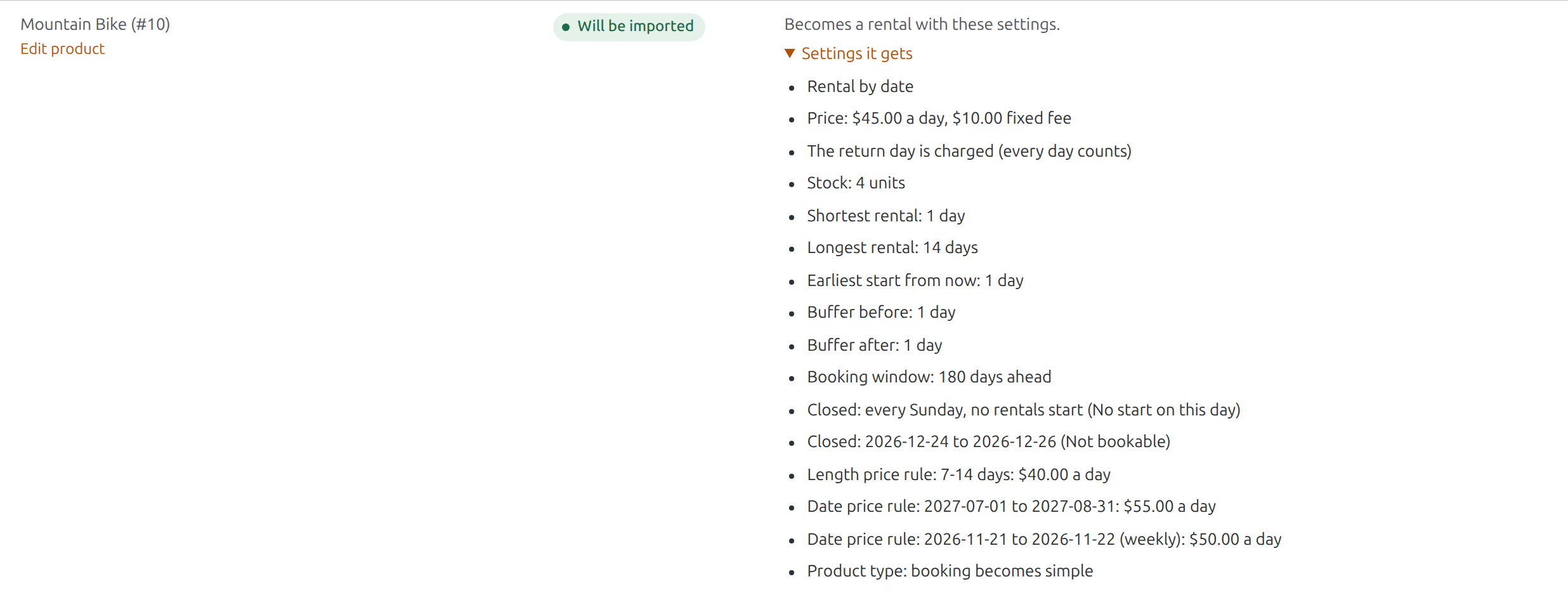
Products of the type “Bookable product” become simple products with the rental switched on. They keep their name, photos, description, categories, reviews and orders.
| In WooCommerce Bookings | In Rentals & Bookings |
|---|---|
| Booking duration in days | Rental by date |
| Booking duration in hours or minutes | Rental by date and time, priced by the hour |
| Booking duration in months | Rental by date, a month counted as 30 days (listed) |
| Booking duration: Fixed blocks of | The same shortest and longest rental |
| Booking duration: Customer defined blocks of, with a minimum and maximum | Shortest and longest rental |
| Base cost and block cost | Fixed fee and price per day or per hour |
| Max bookings per block | Stock |
| Buffer period | Buffer before and after |
| Minimum and Maximum block bookable (how far ahead) | Earliest start from now and booking window |
| Restricted days | Closed for starts on those weekdays |
| Availability rules: date ranges set to not bookable | Closed days on the product |
| Costs: rules by number of blocks | Length price rules |
| Costs: rules by date range, month, week or day | Date price rules |
| Has persons, with a minimum and maximum | Guests |
| Store-wide availability: date ranges set to not bookable | Closed days under Rentals › Settings (when “Also import its store-wide closed days” is ticked) |
When a whole-day booking in WooCommerce Bookings includes its last day, the product gets “The return day is charged (every day counts)”, so the same dates cost the same.
Bookings #
- Unpaid, pending confirmation, confirmed, paid and complete bookings still to come are imported onto their order items.
- Cancelled bookings and bookings still in a cart are skipped. Past bookings stay plain orders.
- A booking marked “Attended” is imported as picked up; a complete one as returned.
- A booking made in WooCommerce Bookings without an order becomes a manual booking with the customer’s name in a note.
- A booking waiting for confirmation is imported as booked and listed under “Check these”.
What you set up by hand #
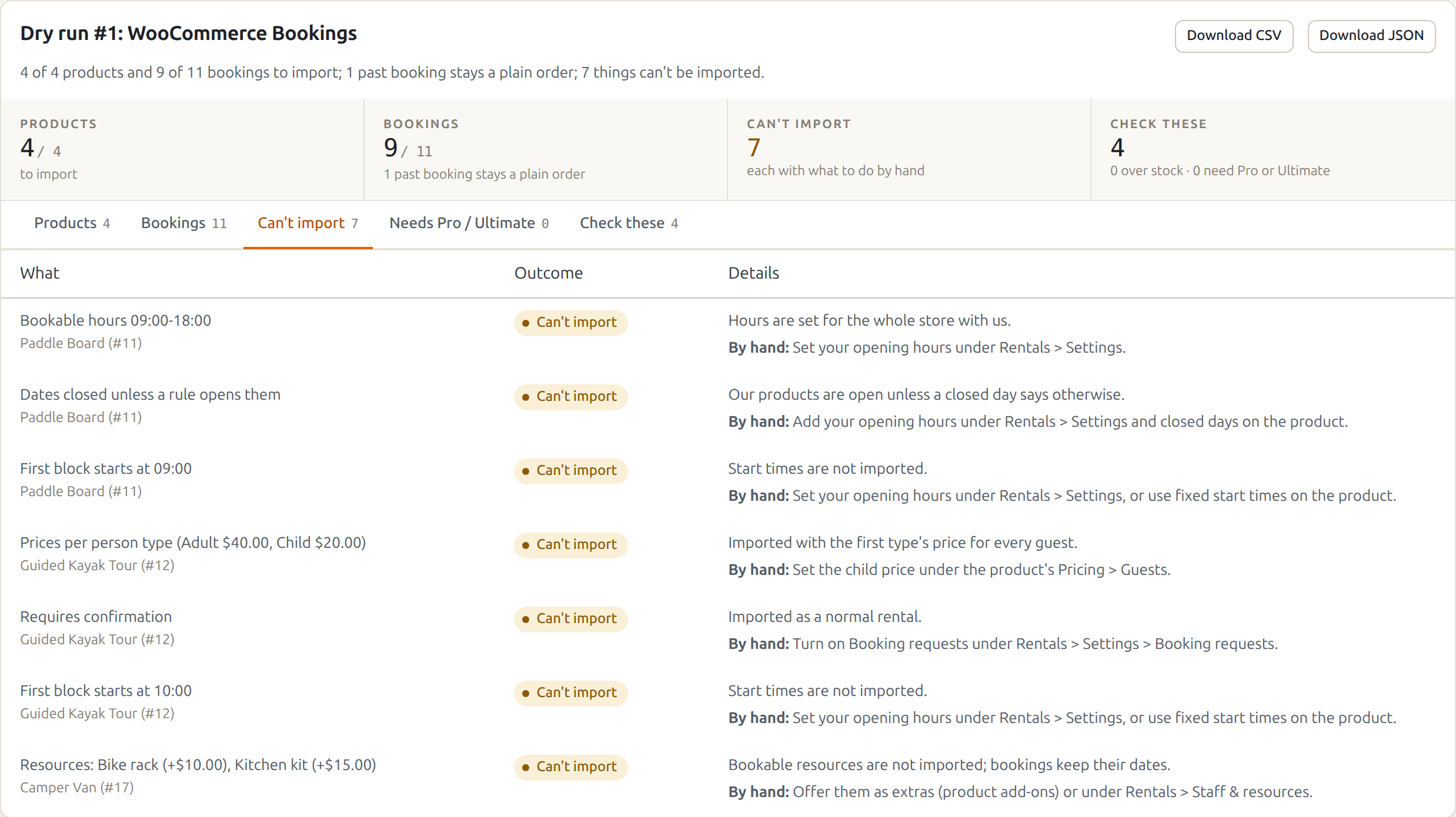
These show on the Can’t import tab of the report, each with what to do. The rest of the product is still imported.
- Bookable hours (such as 09:00 to 18:00) and the first block’s start time: opening hours are set for the whole store under Rentals › Settings, or use fixed start times on the product.
- Dates closed unless a rule opens them (“All dates are… not-available by default”): our products are open unless a closed day says otherwise, so add opening hours and closed days.
- Availability rules by time or by weekday of a month: add them as closed days on the product if you still need them.
- Costs per person type (for example Adult $40, Child $20): imported with the first type’s price for every guest. Set the child price under the product’s Pricing › Guests.
- Resources: bookings keep their dates, but the resources aren’t imported. Offer them as extras (product add-ons) or under Rentals › Staff & resources.
- Requires confirmation?: turn on Booking requests under Rentals › Settings › Booking requests.
- Base cost changes inside a cost rule, and cost rules of other kinds: add them to the product’s price rules by hand.
- Location: add it to the product description, or use the product location field.
The report also mentions, under “Check these”:
- Blocks of minutes: imported as a price per hour, with lengths rounded up to whole hours.
- A buffer that applied to adjacent blocks only: ours applies before and after every rental.
- Persons: each person took one place, so each guest now takes one seat, and the stock is the number of places.
While WooCommerce Bookings stays active #
The imported products are simple products now, so WooCommerce Bookings no longer shows its booking form on them: customers see only the Rentals & Bookings calendar. Its Bookings list still shows the old bookings. When you are happy with the import, deactivate WooCommerce Bookings.
Rolling back makes them “Bookable product” again, with WooCommerce Bookings’ own settings, which were never changed.


